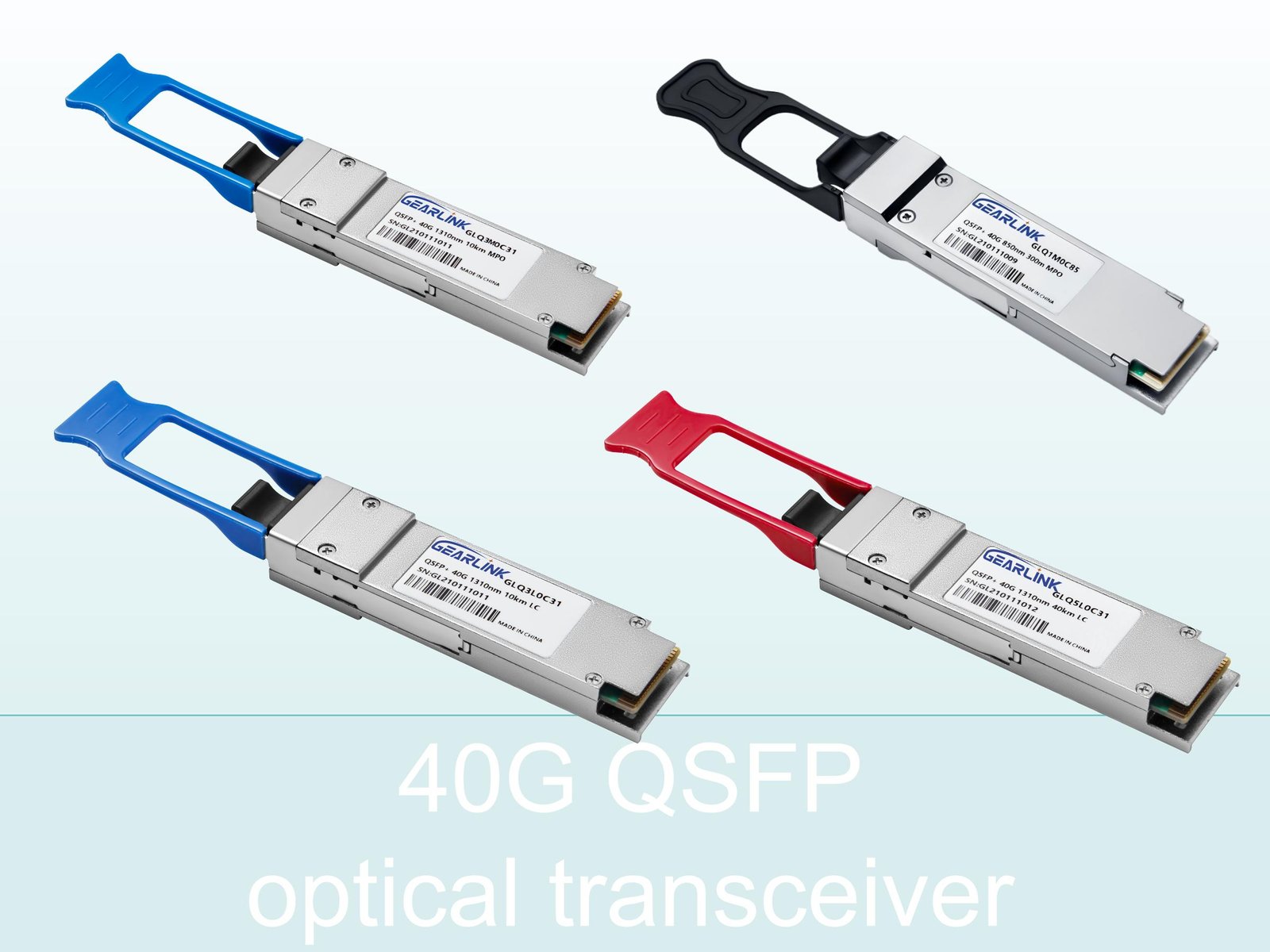
In today’s high-speed network environments, understanding the module known as the 100GBASE LR4, or more specifically the variant QSFP 100G LR4 S, is essential. Often this same device is referred to as QSFP 100G LR4, 100G LR4, 100G BASE LR4, or QSFP28 LR4. Although these six keywords may seem different, they all point to the same type of optical transceiver module. In this article we will explain what this module is, how it works, and why it is so important for modern networks.
The Basics of QSFP 100G LR4 S / 100GBASE LR4
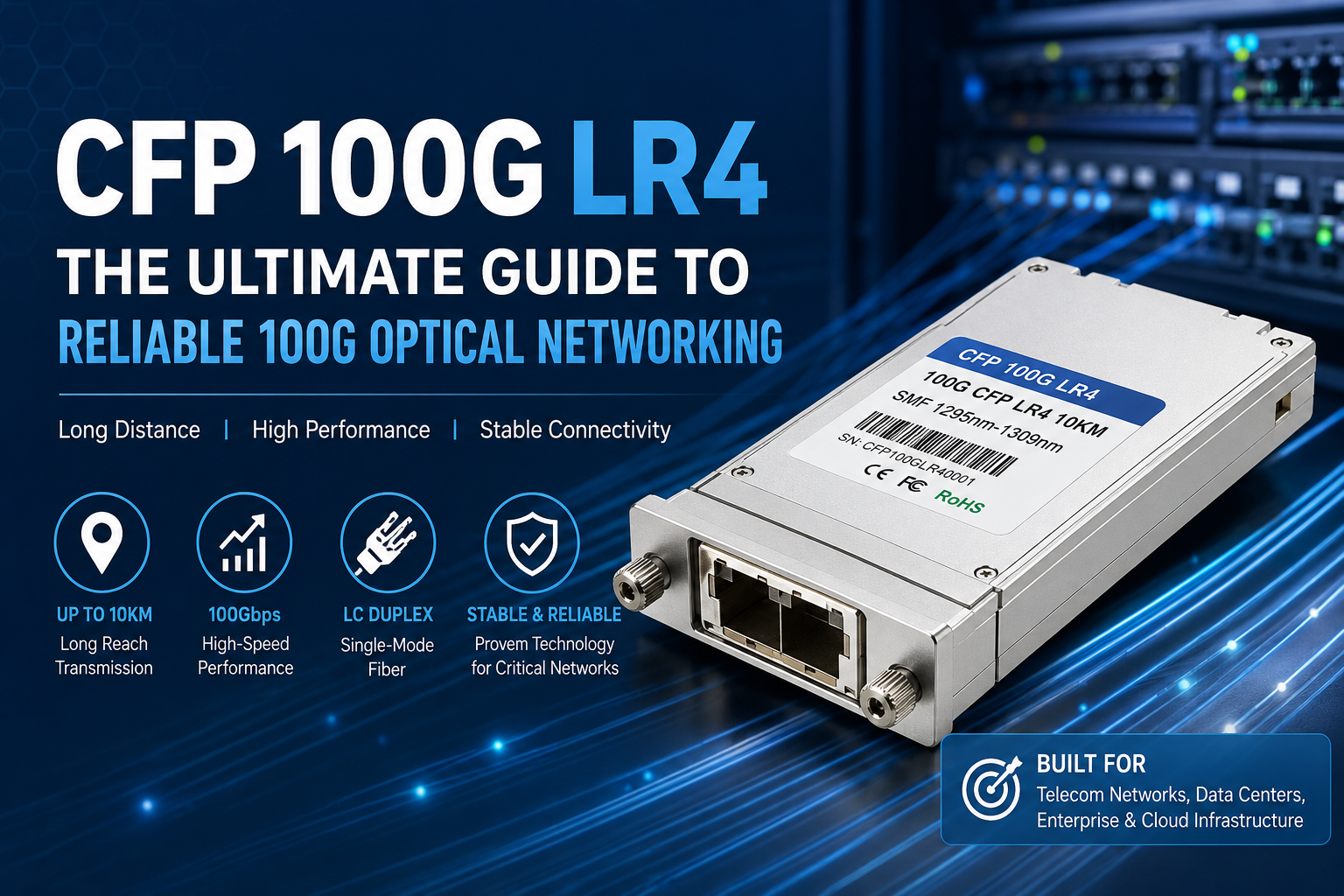
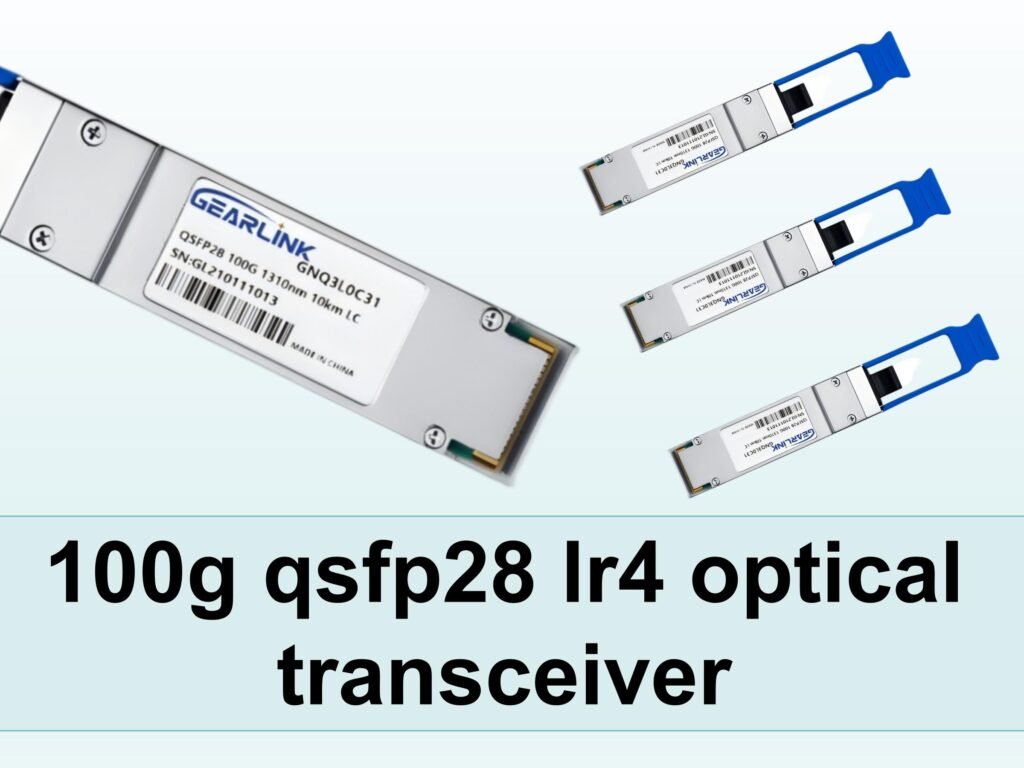
To start, let’s clarify the terms. The module referred to as QSFP 100G LR4 S is a specific OEM (for example, by Cisco) version of the more generic 100GBASE LR4 transceiver. It uses the qsfp28 form‐factor (so hence it may also be called QSFP28 LR4) and supports 100G speeds over single-mode fiber. According to specification data, modules labelled “100GBASE-LR4 QSFP28” can reach distances of up to 10 km on single-mode fiber (SMF).
Because of its long-reach capability, the 100G BASE LR4 form-factor is widely used in data centers, backbone links, carrier networks and enterprise aggregation layers.
What they mean
QSFP 100G LR4 S: This generally refers to the Cisco or OEM version (for example part number QSFP-100G-LR4-S) of the 100GBASE LR4 transceiver.
QSFP 100G LR4: A slightly more generic way to refer to the same module (QSFP28 form‐factor, 100G, LR4).
100GBASE LR4: The IEEE standard / protocol name for 100 Gb/s Ethernet using long-reach LR4 optics.
100G LR4 / 100G BASE LR4: Shortened versions of the same idea; “100G” stands for 100 Gigabit, “LR4” stands for Long Reach (4 lanes) typically.
QSFP28 LR4: Because the module uses the QSFP28 package (i.e., quad small form-factor pluggable, 28 Gb/s per lane) it is also often called QSFP28 LR4.
In other words, all describe the same general product category: a long-reach 100G optical transceiver in QSFP28 package. The slight differences are mostly vendor/branding or phrasing variations.
Key Features of the 100G LR4 / QSFP28 LR4 Module
Let’s look at important specifications and features of this module type:
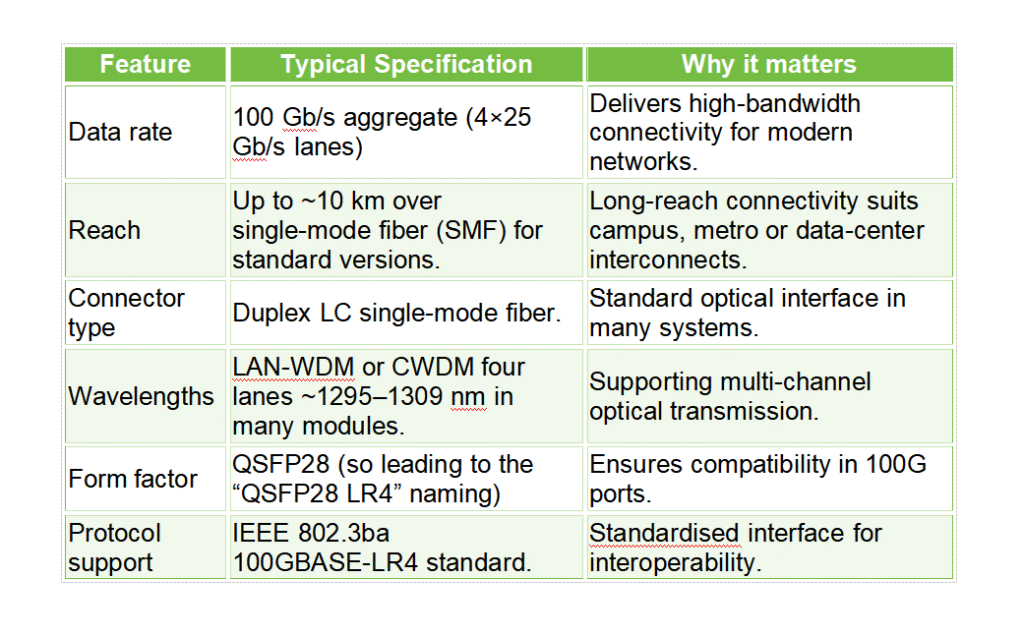
Because the module is hot-pluggable and widely supported, it is often chosen as a reliable and “safe” option when upgrading networks to 100 Gigabit links.
Why Choose the QSFP 100G LR4 Variant (100GBASE LR4)
Choosing a module like QSFP 100G LR4 S / 100GBASE LR4 makes sense when you need long-reach 100Gb links, and you want a solution that is well-understood and supported. Some of the key benefits include:
Flexibility: Because the naming covers QSFP 100G LR4, 100G BASE LR4, 100G LR4, etc., you can search across vendor lines and still find compatible modules.
Long reach: In many campuses or data-centre layouts, a 10 km reach requirement is common; this module supports that.
Compatibility: Many vendors list compatibility with the “QSFP-100G-LR4-S” or similar part number, meaning if you see the keyword QSFP 100G LR4 S you know exactly what you are dealing with.
Upgrade path: If your infrastructure already supports QSFP28 ports, you can upgrade to 100GBASE-LR4 modules without changing the port hardware.
Standardisation: Because this device adheres to IEEE standards, you avoid vendor-lock issues and can mix & match modules from trusted vendors.
On the flip side, you should ensure that your optical fiber plant, connectors, and transceiver support the required reach and link budget. Also, if your network only needs short-reach (say <100 m), then a cheaper SR4 (short-reach) variant may suffice; but for those requiring the longer span, the LR4 module is the right choice.
How to Deploy and Use QSFP 100G LR4 / QSFP28 LR4 Modules
Successfully deploying a module such as QSFP 100G LR4 S or 100GBASE LR4 involves several practical steps and checks:
Pre-deployment checklist
Confirm that your equipment (switch, router, platform) supports QSFP28 ports and is LR4 capable.
Check fiber type: you should be using single-mode fiber (SMF) compatible with the reach (often up to 10 km).
Confirm optical connectors: Duplex LC is typical.
Verify that the vendor part number (e.g., QSFP-100G-LR4-S) is supported or friendly with your platform.
Ensure link budget and optical loss are within spec for your span (cable length, number of connectors/splices, patch panels).
Check whether digital diagnostics monitoring (DDM) is supported (many modules support this).
Installation and activation
Once installed into the QSFP28 port:
The module should be detected by the host, and the port should negotiate 100 Gb/s link.
Use your network monitoring tools to review DDM parameters (temperature, bias current, input/output optical power).
If a link does not come up, verify fiber direction, connector cleanliness, patch-panel insertion loss, and module compatibility.
Document the module part number and serial number for inventory and support purposes.
Maintenance and lifecycle
Keep spare modules matching your primary vendor or brand, but because the module follows the 100GBASE-LR4 specification, you may purchase third-party compatible modules to reduce cost.
Monitor optical power trends over time (increasing loss may signal fiber degradation or dirty connectors).
When upgrading future equipment (for example to 200G or 400G), ensure backward compatibility of your fiber plant and port interfaces.
Market Considerations & Future Outlook
With the ongoing growth of data center traffic, cloud services, 5G backhaul, and content delivery, modules like QSFP 100G LR4 S / 100GBASE LR4 remain relevant. Nonetheless, some trends to keep in mind:
The shift toward higher speeds (200G, 400G, 800G) means that some networks will eventually move beyond 100G.
However, when 100G is still sufficient (for example in aggregation links, campus backbone, or metro extension), using the 100GBASE-LR4 option remains cost-effective and proven.
Compatibility is key: As new form factors (like OSFP, QSFP112, etc.) appear, ensuring your fiber plant and port interfaces support the 100GBASE-LR4 module is important.
Because the six keywords (QSFP 100G LR4 S, QSFP 100G LR4, 100GBASE LR4, 100G LR4, 100G BASE LR4, QSFP28 LR4) all refer to the same class of module, using consistent terminology in your procurement, documentation and SEO content helps reduce confusion and improves sourcing.
Summary and Key Takeaways
To summarise:
The module commonly referred to by keywords QSFP 100G LR4 S, QSFP 100G LR4, 100GBASE LR4, 100G LR4, 100G BASE LR4, and QSFP28 LR4 all indicate the same general product: a 100-Gigabit Ethernet, long‐reach (LR4) optical transceiver in QSFP28 form-factor.
It is used for up to ~10 km over single‐mode fiber, with LC duplex connectors, supporting 4×25 Gbps lanes under the IEEE 802.3ba 100GBASE-LR4 standard.
Choosing this module provides high bandwidth, long reach, broad vendor support and backwards compatibility with 100G QSFP28 ports.
Deployment requires checking compatibility, fiber type, link budget and connector cleanliness.
Although higher speeds are emerging, the 100GBASE-LR4 class remains relevant and effective in many network segments.
If you remember this core concept — that all six keywords refer to the same module type — you will minimise confusion when searching, procuring, or writing content about it.
Frequently Asked Questions
Here are five relevant questions that include the keywords:
Q: What is the difference between QSFP 100G LR4 S and QSFP 100G LR4?
A: The term QSFP 100G LR4 S specifically refers to a vendor/model variant (for example Cisco’s part number) of the generic QSFP 100G LR4 module. Functionally they are the same 100GBASE LR4 transceiver type, but the “S” may denote a specific OEM part code or firmware.
Q: Is 100G LR4 compatible with QSFP28 ports?
A: Yes. A 100G LR4 module (also called QSFP28 LR4 or QSFP 100G LR4) uses the QSFP28 form‐factor, so it can be plugged into a QSFP28 100G port, provided the host supports LR4 optics and the fiber/link budget is met.
Q: Can I use 100GBASE LR4 modules for short-reach links?
A: While you can physically install a 100GBASE-LR4 (or QSFP 100G LR4) module for a short-reach link, it may not be cost-optimal. If your span is only a few hundred meters, a short-reach variant (e.g., SR4) may be more economical. The LR4 is designed for longer reach (up to ~10 km).
Q: What should I check when purchasing a QSFP28 LR4 or QSFP 100G LR4 module?
A: You should verify compatibility with your switch/router platform (for example whether it accepts the module labelled QSFP 100G LR4 S or QSFP-100G-LR4). You should check that your fiber is single-mode, that you have LC duplex connectors, that your reach (distance) is supported by the specification (for 100G LR4 typically up to ~10 km), and that DDM support, firmware and vendor locking are acceptable.
Q: Why do I see different names like “100G BASE LR4”, “100G LR4” and “100GBASE LR4 QSFP28”?
A: These are simply alternate expressions of the same core concept: a 100-Gigabit Ethernet (100G) optical transceiver using Long Reach (LR4) over single-mode fiber in the QSFP28 form-factor. The variations in naming arise from vendor branding, marketing shorthand or documentation preferences. Understanding that they refer to the same module class helps you avoid confusion.